How to file on mrv.ae
Nine steps from your DecarbOS report to a filed submission. You or your authorised person can file with your own approved portal account, or you can choose We File For You, where our named staff register your company and file everything for you under your Letter of Authority, so you never need to log in to mrv.ae yourself.
1 Check that you are in scope
If your organisation uses fuel, refrigerants or purchased electricity in the UAE, assume you must report. There is no minimum size.
2 Get your DecarbOS report
Enter your numbers or upload your bills. Download the report and the merged bills PDF. Keep the Excel workbook for next year.
3 Open mrv.ae
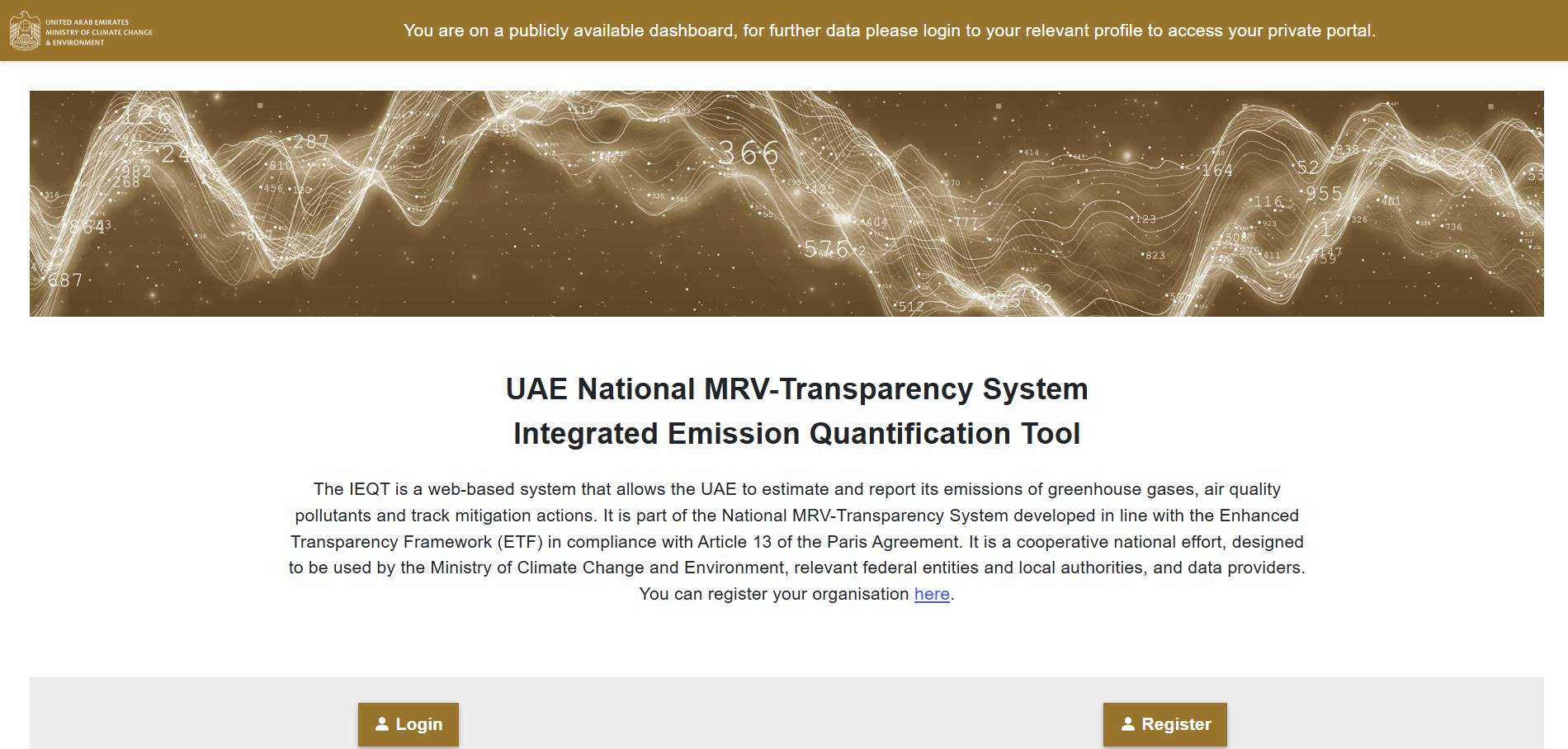
Go to mrv.ae. The page is called the UAE National MRV-Transparency System, Integrated Emission Quantification Tool (IEQT). The public page only shows general information. To enter data, use Login if you already have an approved account, or Register to create one (see the next step). The page also has a link to register your organisation.
4 Register your organisation and roles
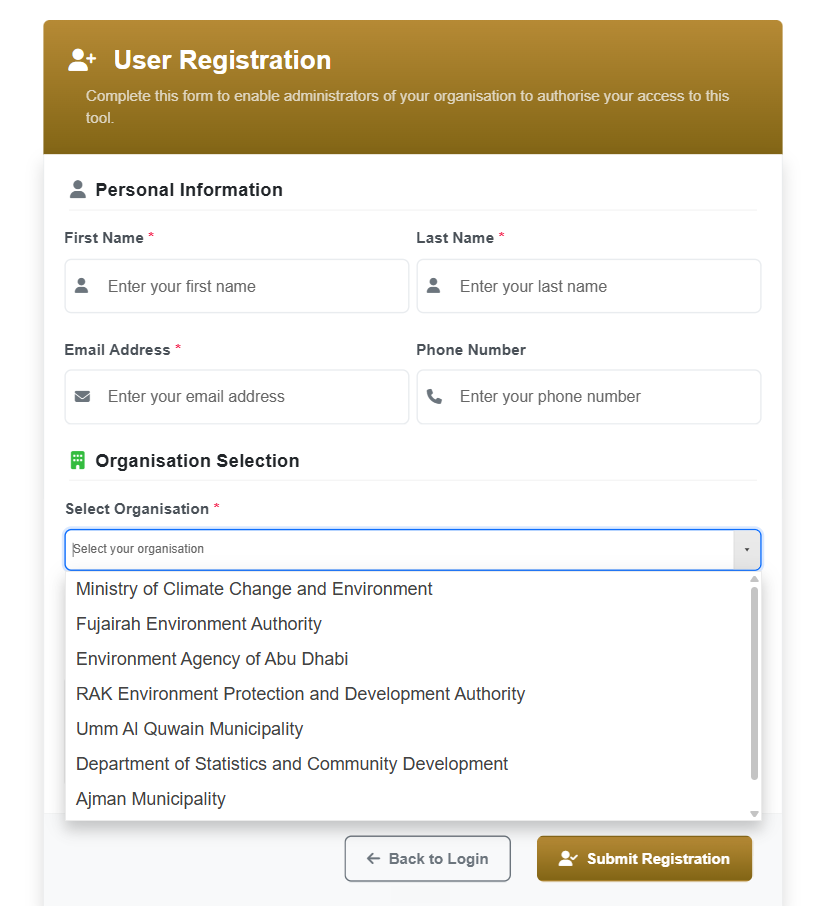
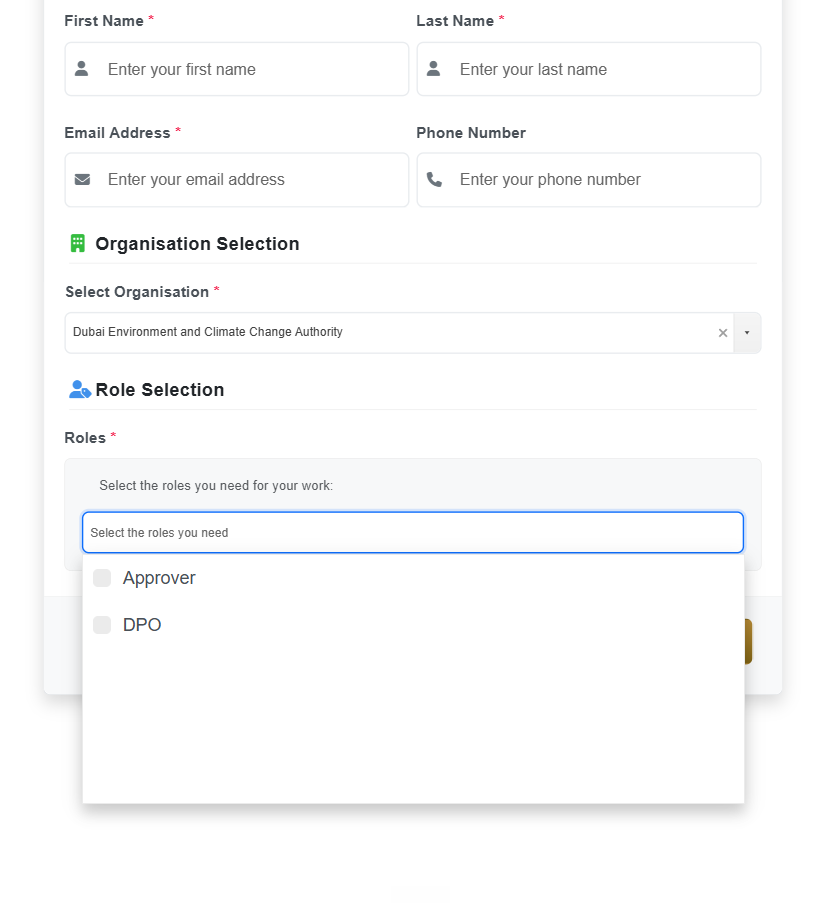
On mrv.ae choose Sign up (User Registration). Enter your first name, last name, email and phone (phone is optional). Under Select Organisation choose the authority for your emirate or sector from the list (for example Dubai Environment and Climate Change Authority, Environment Agency of Abu Dhabi, Fujairah Environment Authority, RAK Environment Protection and Development Authority, Ajman Municipality, Umm Al Quwain Municipality, or the Ministry of Climate Change and Environment). Under Roles tick what you need: Approver or DPO. Then press Submit Registration. The portal says the administrators of your organisation must authorise your access, so you cannot enter data until they approve you.
5 Create the reporting year
Select the calendar year you are reporting. Use the same year as your bills.
6 Type Scope 1 numbers
Open the Scope 1 section. In the DecarbOS report, Section 3 lists every Scope 1 figure in the order of the portal. Copy each total for the year.
7 Type Scope 2 numbers
Open Scope 2. Copy electricity kWh and district cooling from Section 4. Choose the location-based method unless you hold supplier certificates.
8 Attach the bills
Upload the merged bills PDF as supporting evidence, if the portal asks for it.
9 Review, submit and keep the confirmation
Check the totals against the DecarbOS report, submit, and save the confirmation. Keep every record for at least 5 years. DecarbOS keeps your copy for 7.